
As a presenter, you play a key role in ensuring the SBCC Summit is a success.
We've heard from many people with questions about uploading your presentation. Please follow the guidelines below.
Please upload your presentation as soon as possible next week, ideally by Thursday, June 18, so that we can begin preparing the presenter computers.
Uploading your presentation:
Login to Dryfta using the username and password tied to your abstracts
Navigate to https://sbccsummit.dryfta.com/program/program#my_sessions
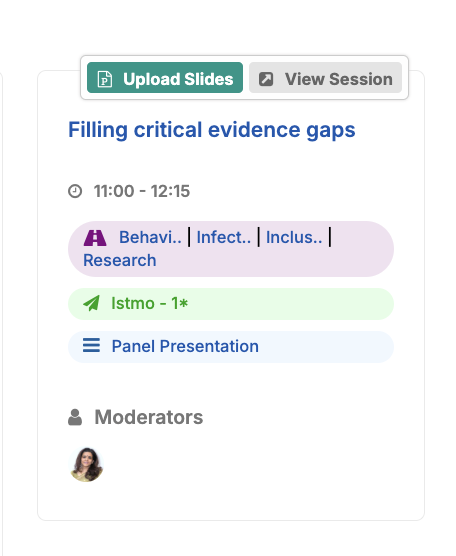
Next to your panel/presentation(s), click the green 'upload slides' button
Click 'browse' to upload your file.
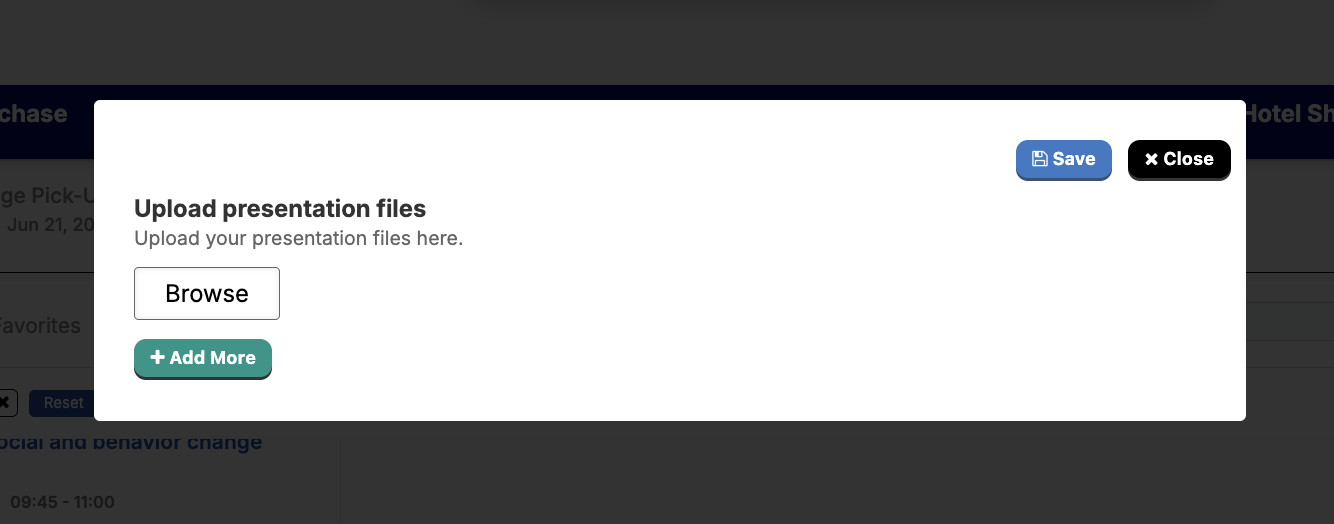
Uploading might take several minutes. Please be patient and do not close the window until the presentation has fully uploaded.

If you face any issues uploading your file, please upload it here: https://livejohnshopkins-my.sharepoint.com/:f:/g/personal/ariley20_jh_edu/IgCGSaXd6LTtRa2SyWCQ2HCwATTrMOCv9XdbIEo6rWqQjeQ
Email info@sbccsummit.org with any questions.